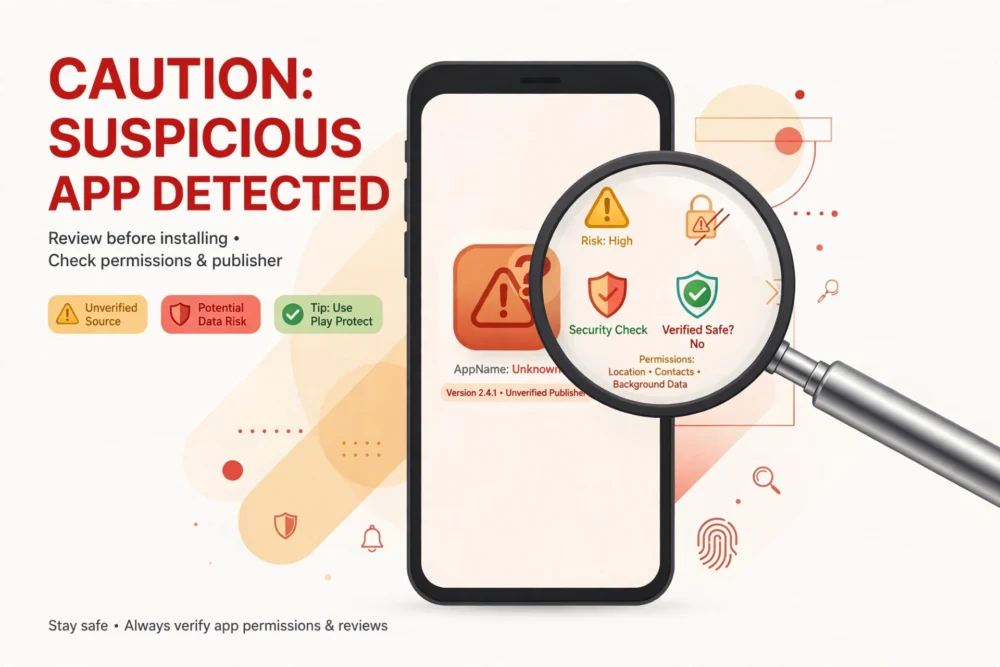
**Quick answer:** To spot a fake app, check the developer name against the real company, read recent one-star reviews for scam reports, beware of copycat names and icons, and never install apps that demand unrelated permissions or upfront payments. A 60-second check — developer, reviews, permissions, and price — catches most scam apps before they reach your phone.
## Why Fake Apps Exist
Scam apps imitate popular apps to steal money, passwords, or personal data. Common tricks include a nearly identical name and icon, a flood of fake five-star reviews, and a “free” label hiding an expensive weekly subscription. They thrive on rushed downloads: a user searching for a famous app taps the first result without checking who made it.
## The 60-Second Safety Check
Run through these four checks before installing any app you have not used before:
1. **Developer name.** Does it match the real company? “Meta Platforms” makes Instagram, not “Meta Inc” or “Instagram Dev Team.” For a bank, the developer should be the bank itself.
2. **Recent reviews.** Ignore the overall star rating and read the newest one-star and two-star reviews. Scam reports cluster there: unexpected charges, login theft, features that do not work.
3. **Permissions.** Does a wallpaper app need your contacts and location? Does a calculator need your microphone? Unrelated permissions are a major red flag.
4. **Price structure.** “Free” with a $9.99-per-week subscription buried in the fine print is not free. Check the in-app purchase list on the store page before installing.
## Red Flags That Should Stop You
– **Copycat name or icon.** A slightly altered spelling, an extra word, or a near-identical logo is deliberate imitation.
– **Thousands of reviews within days of release.** Real apps build reviews over time. A sudden flood of generic five-star praise (“Great app! Love it!”) is often bought.
– **No website or support link.** Legitimate developers link to a real website with a contact page. A store listing with no web presence at all is suspicious.
– **Pressure tactics.** Countdown timers, “only 3 installs left,” or warnings that your phone is infected are manipulation, not information.
– **Requests for payment outside the store.** Any app asking you to pay by gift card, wire transfer, or a link outside the official store is a scam.
– **Login screens that look slightly off.** Fake apps mimic login pages to harvest passwords. If an app asks you to sign in to a major service but the screen looks unusual, stop and verify through the official app or website instead.
## How to Verify an App Is Genuine
– **Start from the official source.** For banks, governments, and major brands, go to the company’s own website and follow its app store link rather than searching the store directly.
– **Check the developer’s other apps.** Real developers usually have a history of other legitimate apps. A developer account with one single app and nothing else deserves suspicion.
– **Search the web for the app name plus “scam.”** Victims report scam apps quickly, and a short search often surfaces warnings.
– **Compare download counts.** A famous app with millions of downloads will not appear as a listing with only a few thousand installs. Low install counts on a “famous” app mean you found the copy.
## What to Do If You Installed a Fake App
Act quickly and in this order:
1. Delete the app immediately.
2. Change passwords for any account you signed into through it, starting with email and banking, and enable two-factor authentication.
3. Check your app store subscriptions and cancel anything you did not intend to buy.
4. Review bank and card statements for unexpected charges and dispute anything unfamiliar.
5. Report the app in the store so it can be removed for others.
## A Note on Third-Party App Stores
Apps from outside the official App Store or Google Play carry far higher risk, because they skip store review entirely. Unless you have a specific, trusted reason — such as a work app from your employer — install only from the official stores. The small convenience of an outside store is not worth the risk.
## Frequently Asked Questions
### Can a fake app appear at the top of search results?
Yes. Scam developers use keyword tricks and fake reviews to rank highly, especially for trending apps. Never trust position alone — always check the developer name and recent reviews.
### Are high star ratings proof an app is safe?
No. Ratings can be bought or faked. Read the written reviews, especially recent negative ones, and weigh them more heavily than the average score.
### What permissions are normal for a messaging app?
Contacts, notifications, camera, microphone, and storage are normal for messaging. Location is reasonable if the app shares locations. Access to your SMS inbox, call logs, or device admin rights is not normal and should be refused.
### Should I report a fake app?
Yes. Reporting in the App Store or Google Play takes under a minute and helps get the app removed before it harms others. If you lost money, also report it to your bank and, where relevant, to local consumer protection authorities.