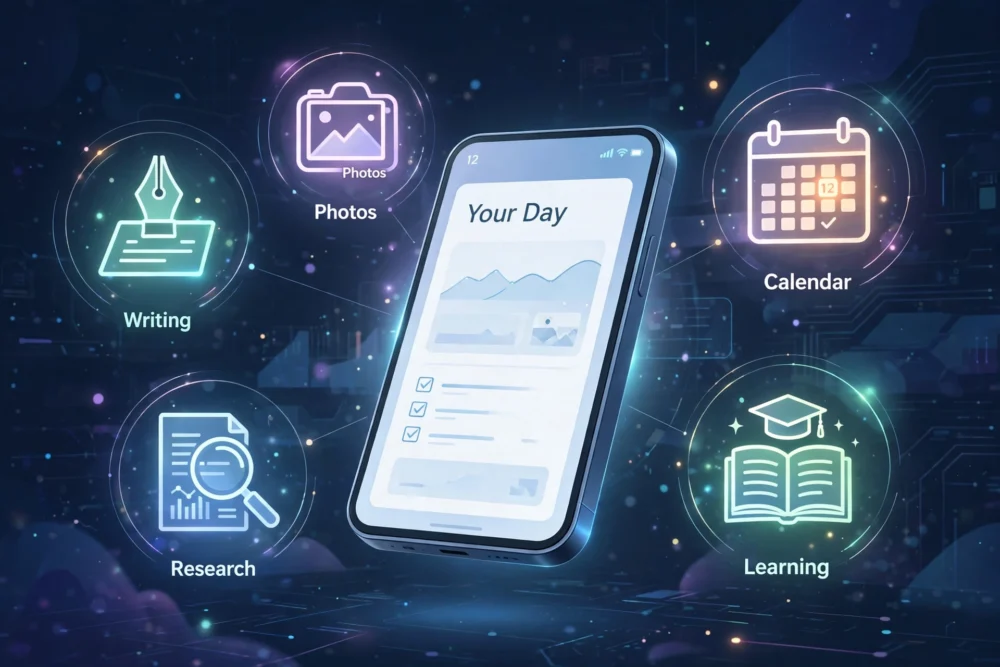
Quick answer: The best AI apps for everyday tasks in 2026 are ChatGPT for general questions and writing, Gemini for Google users, Perplexity for research with sources, and built-in tools like Apple Intelligence or Galaxy AI for on-device help. Start with one general assistant and add a specialist app only for a task you do constantly — most people need two AI apps, not ten.
One Assistant First, Specialists Second
The biggest mistake with AI apps is installing ten of them. Most everyday needs — answering a question, drafting a message, summarizing text, brainstorming ideas — are handled well by a single general assistant. Specialist apps earn their place only when you do one task constantly: daily photo editing, language practice, or research with citations.
For General Questions and Writing: ChatGPT
ChatGPT remains the most versatile general assistant: writing, explaining, planning, coding help, and brainstorming. Its phone app adds voice mode and photo input, making it useful away from a desk. The free plan covers everyday use; the paid plan adds speed and newer models.
Use it for: drafting emails, explaining difficult topics, planning trips, writing social posts, and working through ideas.
For Google Users: Gemini
Gemini is the natural choice if your life runs on Gmail, Google Docs, and Google Drive, because it can work across those services. Ask it to summarize an email thread, find a document, or draft a reply in context. On Android phones it is increasingly built in as the default assistant.
Use it for: anything that touches your Google account, and for quick answers with web sources.
For Research With Sources: Perplexity
Perplexity answers questions with cited sources, showing where each fact came from. That makes it the best choice when accuracy matters and you want to verify claims — checking a health question, a news event, or a product comparison.
Use it for: research, fact-checking, and any question where “according to whom?” matters.
For Photos: Built-In Editors and AI Cameras
Modern phones include AI photo tools directly in their gallery apps: object removal, unblurring, and automatic enhancement. These beat most standalone AI photo apps for everyday edits because they are instant and private — the photo never leaves your device. Standalone AI photo apps still win for stylized effects and avatars, but check their privacy terms before uploading portraits.
For Learning: Language and Study Apps
AI tutors have become genuinely useful for language practice and studying. The best ones adapt to your level, correct mistakes in context, and let you practice by conversation rather than drills. They do not replace a teacher, but for daily practice they are far better than a phrasebook.
Use them for: daily language practice, exam revision quizzes, and explaining school or work topics at your level.
For Organizing: AI Inside the Apps You Already Use
The most useful AI features in 2026 are often not separate apps at all: email apps that summarize long threads, note apps that organize your pages, calendars that draft schedules from a message. Before installing a new AI app, check whether an app you already use has added the feature — it usually has, and it already knows your data.
What to Skip
- Apps that duplicate your assistant. If ChatGPT or Gemini already does it, a separate app adds clutter, not value.
- AI apps with vague privacy terms. An AI app that uploads your photos, contacts, or documents should explain clearly what happens to them. If it does not, skip it.
- Paid AI apps you have not tried free. Most AI apps offer a free tier. Use it for two weeks before paying — many users discover the free tier was enough.
- Apps promising impossible results. An app claiming to diagnose illness, predict investments, or guarantee grades is selling confidence, not capability.
A Sensible Everyday Setup
- One general assistant (ChatGPT or Gemini) for questions and writing.
- One research app (Perplexity) if you verify facts often.
- Built-in phone AI for photos and on-device tasks.
- One specialist app only for a task you do every day.
That setup covers nearly everything without turning your phone into an AI app museum.
Frequently Asked Questions
What is the best free AI app?
ChatGPT’s free plan is the best free general AI app for most people, covering questions, writing, and ideas. Gemini’s free tier is the best choice if you live in Google’s apps, and Perplexity’s free tier is best for sourced research.
Do AI apps work without the internet?
Most AI apps need an internet connection because their models run on remote servers. Some phones now include on-device AI features — photo cleanup, transcription, and basic writing help — that work offline, but full assistants do not.
Are AI apps safe for private information?
Avoid sharing passwords, financial details, addresses, or confidential work information with any AI app. Treat conversations as potentially stored, and check each app’s privacy terms before uploading photos or documents.
Will AI apps replace regular apps?
No. AI apps are a layer on top of regular apps, not a replacement. You still need a notes app, a calendar, and a photo gallery — AI increasingly lives inside those apps rather than replacing them.